Legacy system migration sounds technical, but for most SMEs the real concern is operational. Will sales stop? Will staff lose access? Will historical data go missing? Will the branch team have to work manually for a week? That is why many businesses continue running outdated systems long after those systems have become expensive, fragile, and difficult to support.
In Malaysia, that hesitation is understandable. SME Corp highlighted that over 60 per cent of businesses are still at a basic level of digitalisation, while MDEC has positioned e-Invoicing as a broader digital transformation catalyst. As reporting, compliance, and operational visibility become more important, older disconnected systems become harder to keep in place.
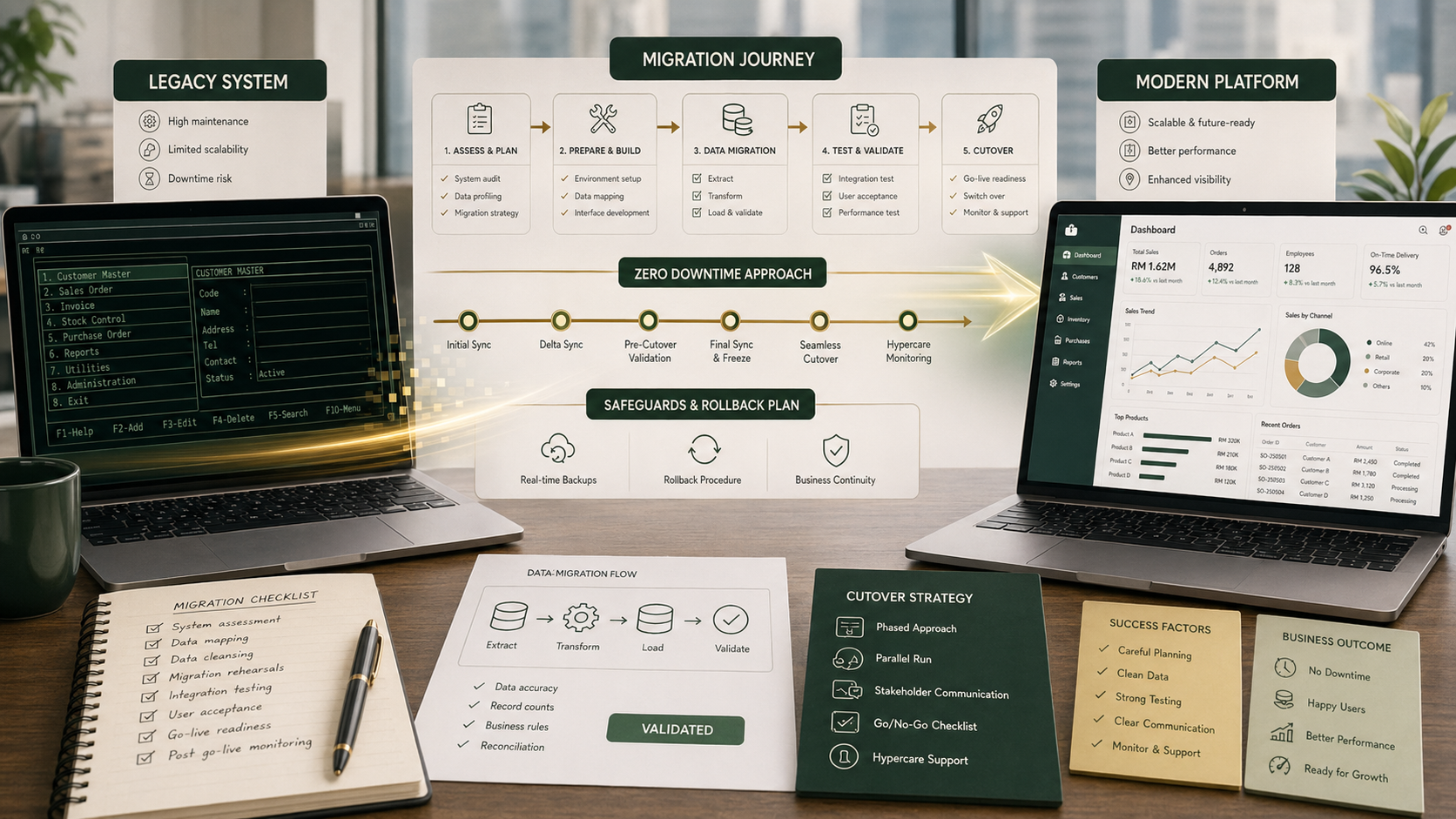
Zero downtime migration usually does not mean zero risk. It means the migration is designed so the business can continue operating safely even while systems, data, and workflows are being transitioned.
Why Malaysian SMEs delay legacy system migration
Most SMEs do not keep legacy systems because they love them. They keep them because those systems still hold critical business logic: customer records, pricing rules, stock history, staff habits, approval flow, or reporting workarounds. Replacing them feels like pulling apart a process that may be inefficient, but at least familiar.
The more manual exceptions a business has accumulated over time, the more dangerous migration feels. This is especially true for companies running branch operations, internal admin workflows, or finance-heavy processes where any interruption immediately affects revenue, fulfilment, or customer communication.
What usually causes downtime during system migration
Downtime rarely happens because the new software simply "failed". It usually comes from preventable gaps in planning. The most common ones are:
- Incomplete dependency mapping. Teams underestimate how many users, spreadsheets, exports, or third-party tools depend on the old system.
- Poor data preparation. Old records are duplicated, inconsistent, or incomplete, and those issues are discovered too late.
- Big-bang cutover with no fallback. Everything switches at once, leaving no safe rollback if something breaks.
- Weak user training. The new system may work, but staff do not know how to use it confidently on day one.
- Untested integrations. The new system connects to finance, reporting, inventory, or external services differently than expected.
If you recognise those risks, the answer is not to avoid migration forever. The answer is to structure the migration more deliberately.
How to migrate a legacy system with less downtime
1. Start by mapping the real operating dependencies
Before discussing cutover dates, list everything connected to the old system. Not just official integrations, but daily business behaviour. Which departments use it? Which manual exports feed finance? Which WhatsApp updates depend on data from that system? Which branch staff only know one workflow?
This dependency map matters because legacy system migration is rarely just application replacement. It is usually process migration, reporting migration, and behaviour migration at the same time.
2. Clean the data before moving it
Data migration problems are one of the fastest ways to create operational chaos after go-live. If product codes are inconsistent, customer records are duplicated, or approval history is incomplete, the new platform inherits those issues immediately.
A safer approach is to classify data into three groups: what must be migrated cleanly, what can be archived, and what should be rebuilt or standardised before import. This reduces noise and lowers go-live risk.
3. Avoid a full big-bang rollout unless the business is truly ready
For many Malaysian SMEs, phased migration is the safer option. That might mean rolling out one branch first, one module first, or running the new environment in parallel for a controlled period. Not every project can support a long parallel run, but many benefit from at least a staged validation period.
If your business is also reworking workflows as part of the migration, a phased cutover becomes even more valuable. It gives teams time to adjust instead of forcing every process change into one weekend.
4. Plan cutover and rollback as seriously as build
One of the most important parts of a low-downtime migration is having a written cutover plan. Who does what? In what order? What data freeze window applies? Who verifies that integrations are working? What happens if the migration script fails? What is the rollback trigger?
A proper migration plan should also define what "good enough to proceed" means at each checkpoint. That way, the team is not making emotional decisions at 2 a.m. when pressure is highest.
5. Test the business flows, not just the software screens
Many migration projects pass technical testing but still fail operationally because only isolated functions were tested. Legacy application migration needs scenario testing across the actual business flow. For example: create a transaction, approve it, post it, sync it, report it, and confirm the downstream team can continue working normally.
For SMEs, this is especially important because one broken flow often affects multiple roles at once. What looks like a small defect to the delivery team may be a full stop for operations.
6. Put support on the ground immediately after go-live
Migration without downtime is not only about the switch itself. It is also about the first few days after go-live. Users need fast answers, managers need confidence, and small issues need quick decisions before people start inventing workarounds.
That is why post-launch hypercare matters. Even if the system is technically stable, business confidence is still fragile in the early phase.
The real cutover is not when the new system turns on. It is when the business stops depending on the old one.
When a parallel run makes sense
Parallel running old and new systems is not always efficient, but it can be valuable when the business risk is high. For example, finance-sensitive workflows, stock control, branch operations, or management reporting often justify a short overlap period. The point is not to keep two systems forever. The point is to validate critical outputs while the old system is still available as a safety net.
Where parallel run is not practical, stronger simulation, staged release, and rollback planning become even more important.
A practical migration checklist for SMEs
-
1Identify critical workflows. Know exactly which operations cannot afford disruption and prioritise those in testing and cutover planning.
-
2Audit data quality early. Decide what to migrate, what to archive, and what needs cleanup before any import starts.
-
3Confirm all integrations and external dependencies. Do not assume reports, APIs, or file exports will behave the same way automatically.
-
4Choose a cutover strategy. Phased, branch-by-branch, module-by-module, or controlled full switch. Pick one deliberately.
-
5Document rollback criteria. Know when to pause, when to revert, and who has authority to make that call.
-
6Plan hypercare support. Make sure users have immediate help in the first days after go-live.
What Malaysian market requirements change in migration projects
Migration planning becomes more urgent when the business is also dealing with reporting, compliance, or digitalisation pressure. In Malaysia, that may include e-Invoicing readiness, tighter management reporting, branch expansion, or the need to integrate systems that were previously isolated. A legacy system that once felt "good enough" can become a bottleneck very quickly when those pressures increase.
That does not mean every SME needs a large ERP migration immediately. It does mean businesses should stop thinking about migration only as a last resort. In many cases, the cost of staying on a brittle legacy setup becomes larger than the cost of replacing it carefully.
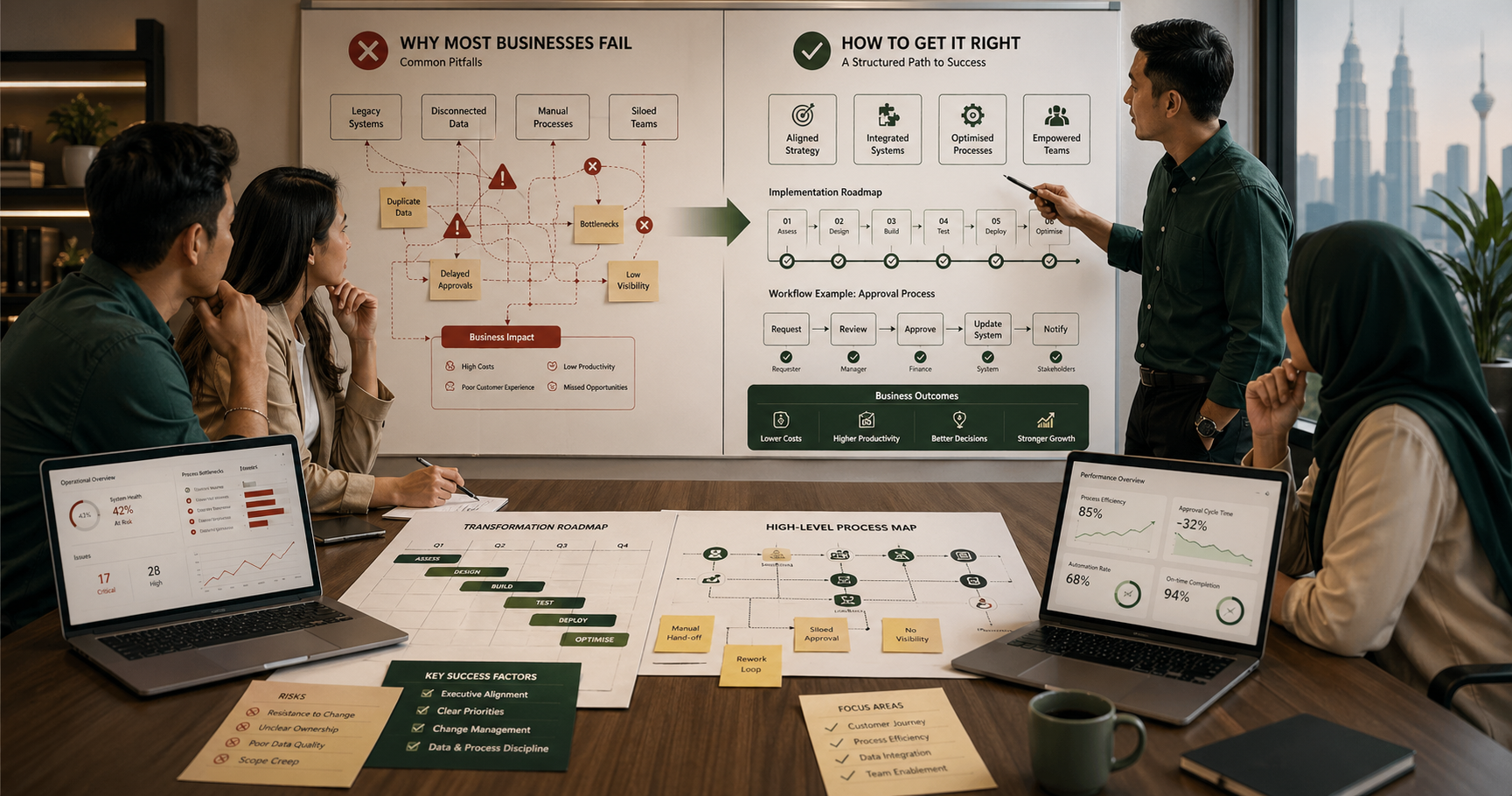
If your business is still deciding whether the bigger issue is platform choice, workflow redesign, or organisational readiness, this usually overlaps with the same problems described in our article on why digital transformation projects fail. Migration is often just one part of the wider change.
What good migration looks like
A successful legacy system migration is usually less dramatic than people expect. There is no hero weekend. There is no panic. The business continues running, the new system gradually takes over, and the old one is retired with confidence instead of fear. That outcome comes from preparation, not luck.
If you are planning to replace a legacy system, focus less on the slogan of "zero downtime" and more on the discipline behind it: dependency mapping, cleaner data, staged validation, user support, and a credible fallback plan. That is what actually protects operations.
This article provides general information only and should not be treated as legal, technical, or procurement advice. Every system migration should be planned according to the business's operational risk, data complexity, compliance requirements, and internal capacity.